Pay what you want
- Unlimited Website Usage
- Premium support
- 30 days money back guarantee

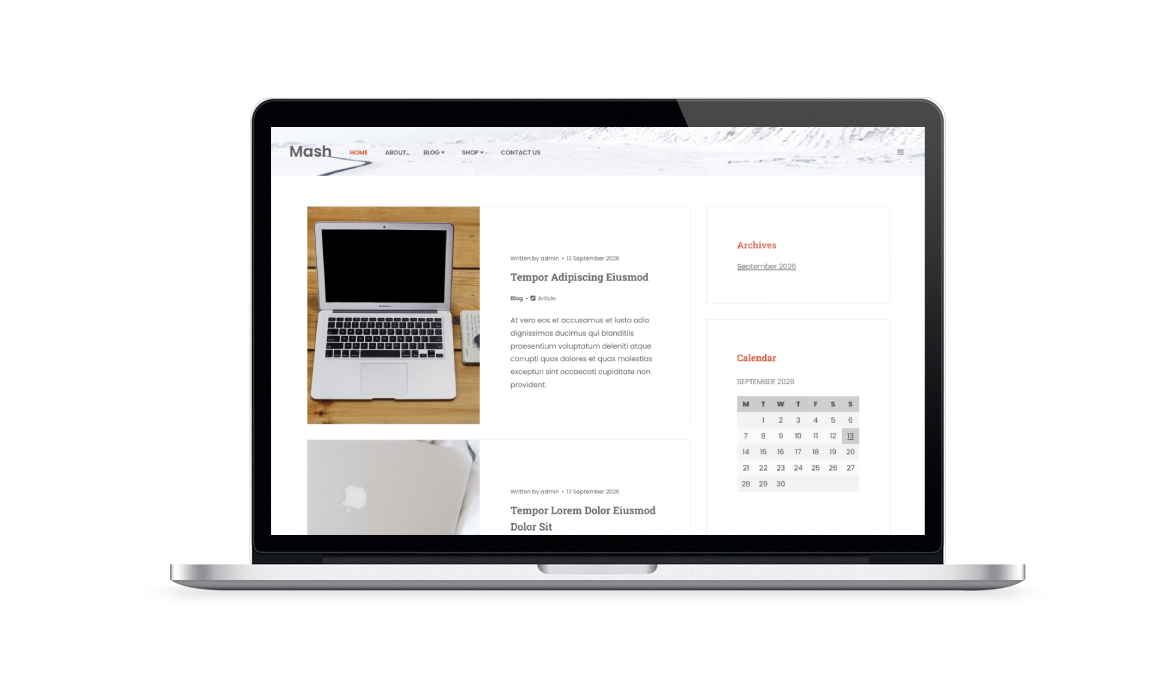
Mash Pro is a modern and versatile WordPress theme created for personal blogs, editorial websites, and independent publishers. Its clean and balanced design puts the focus on your content, providing an enjoyable reading experience for bloggers, writers, journalists, and creators who want a professional yet lightweight website.
Designed with performance, flexibility, and ease of use in mind, Mash Pro features responsive layouts, a masonry blog design, full WooCommerce compatibility, and seamless integration with the WordPress Block Editor (Gutenberg). A wide range of customization options lets you easily adjust colors, typography, layouts, and widget areas to match your style without writing code.
The premium version introduces additional features to give you more control over your website and improve the overall reading experience.
Add an optional reading progress bar, create custom slideshows for posts and pages, use unlimited widget areas, and enjoy lifetime theme updates. Whether you're creating a personal blog, a focused content website, or a small online publication, Mash Pro provides the essential tools to build a modern, professional, and engaging website while keeping the interface simple and the theme lightweight.
Important: Mash Pro is a child theme and requires the free Mash parent theme to be installed on your website.
Compare the free and premium versions to see what's included
Theme feature
Mash
Mash Pro
WooCommerce Support
Responsive Layout
Masonry layout
Logo upload
Social icons
Available social buttons
4
12
Available social sharing icons
13
25
Tested up to
7.1.3
7.1.3
Requires PHP
5.3
5.3
600+ Google fontsYou can choose and use over 600 different fonts, for the logo, the menu and the titles.
Copyright textRemove the copyright text from the Footer.
Custom colorsChoose a color for links, buttons, icons, social buttons at hover, and so on.
Masonry layouts with sidebarDisplay posts using a masonry layout on homepages, archives, and search results pages, with a left or right sidebar.
Optional table of contentsBy enabling this feature, a table of contents will be automatically generated and displayed before the post content, using your headings to build the structure. You can choose from 3 different layouts, optionally add numbering, or disable the table for specific posts.
Optional reading timeDisplays an estimated reading time based on the article's word count and your configured words-per-minute value.
Optional reading progress barShows a fixed progress bar at the top that updates in real time as you scroll, indicating how far you are through the article.
Posts and pages slideshowFor gallery posts and pages, you can display a native slideshow using the built-in slider.
Unlimited widget areasOn Mable theme you can generate an unique widget area for each post, page, WooCommerce product and portfolio item.
1 click upgrades
Find clear answers about access periods, updates, support coverage and licensing
Choose how much you want to pay for this WordPress product. No recurring payments, no hidden fees
Your purchase is covered by a 30-day money-back guarantee. If it’s not the right solution for you, you can request a refund within 30 days of purchase.